Bring generative & agentic AI into your platform
Melis AI is the back-office to manage AI in the platform — connect Claude or Gemini, design agents and scenarios, wire tools (local or MCP), deploy them as instances, and track usage.
Package
Role
Providers
Agents
Tools
Tracks
Overview
Four nouns: model, agent, instance, tool
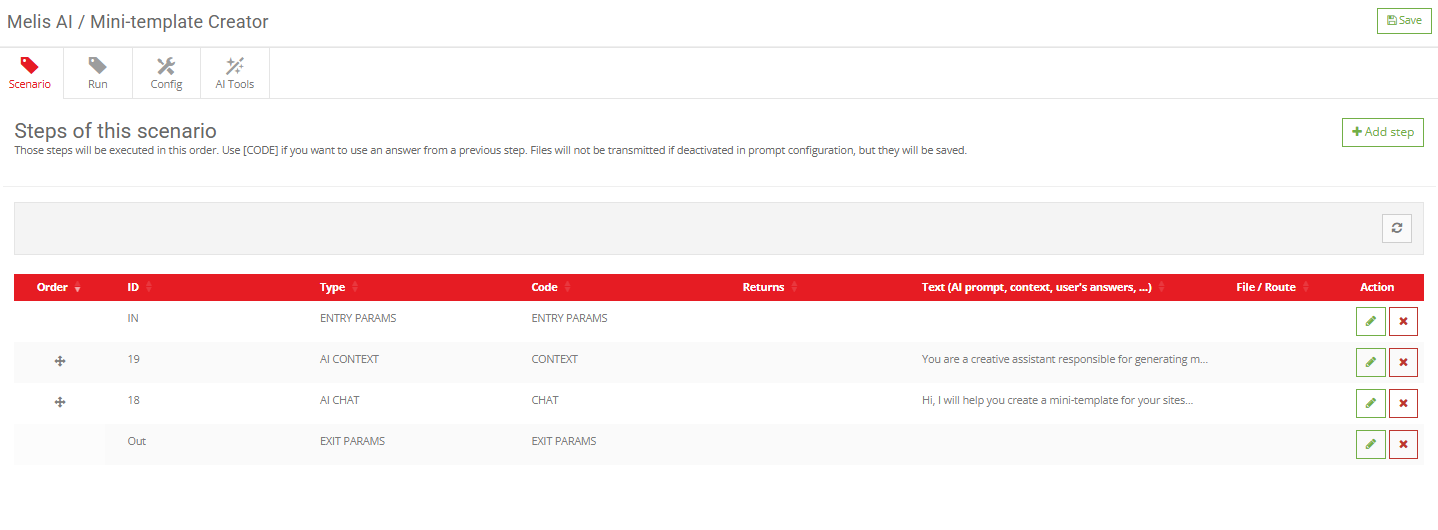
A model is a provider model row (company + model + API key). An agent is a behaviour: an ordered, multi-step scenario plus an allow-list of tools. An instance is a named deployment of an agent under a stable id every UI references. A tool is a callable function the model may invoke — MCP-served or built-in.
In one sentence: an instance points at an agent, an agent points at a model, a model names a company → that picks the provider; a chat on the instance runs the agent’s scenario, calling its allowed tools.
Key features
Everything to run AI in the back-office
Connect a provider, design agents, wire tools, deploy instances and watch the cost.
Connect providers
Switch on Claude or Gemini with an API key — a common key or one per platform.
Design agents & scenarios
A behaviour is an ordered, multi-step scenario plus an allow-list of tools.
Tools: local or MCP
Agents call built-in PHP functions or external MCP servers.
Deploy as instances
A named deployment of an agent under a stable id every UI references.
Usage & cost dashboard
Queries and tokens per instance, so you see what’s used and what costs most.
Assistant & MCP inspector
A Main Chat Assistant in the header, plus an inspector for connected MCP servers.
See it in action
From the library to the page
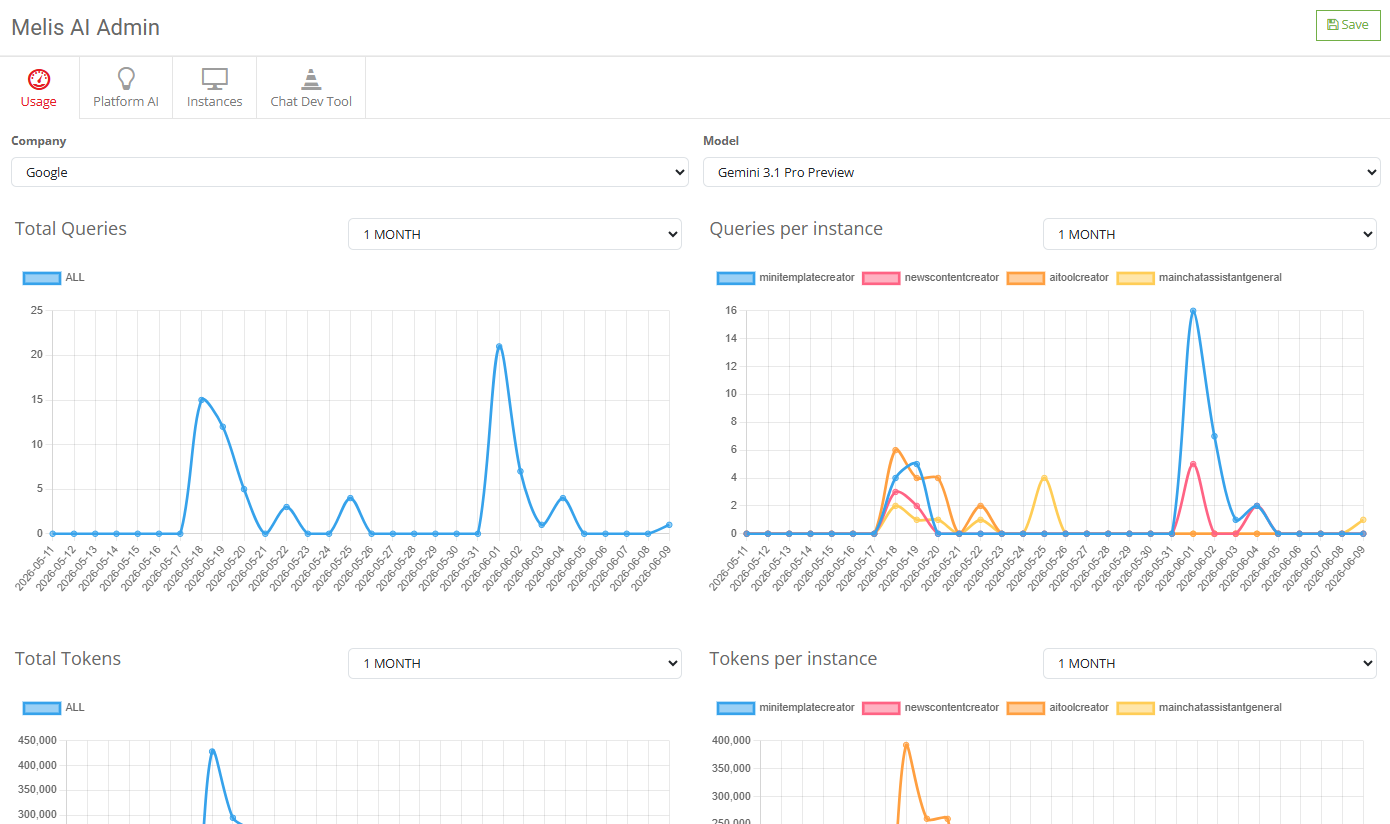
Track every AI feature’s queries, tokens and cost from one dashboard.
See what’s used, and what it costs
The usage dashboard charts queries and tokens per instance over time — spot which AI features are used and which burn the most tokens.
- Queries & tokens per instance
- Filter by company & model
- Per-instance cost visibility
For developers
How it's wired
Provider-agnostic engine
Runs on Melis AI Engine; add a provider by extending its model service.
Agents, scenarios, tools
Stored in the melis_ai_* tables; instances reference agents by a stable id.
MCP & function calling
Tools are MCP-served or built-in; the runtime dispatches them and loops until done.
// An instance → agent → model → company picks the provider.
// A chat turn runs the agent's scenario, dispatching its
// allowed tools (MCP or local) and looping until done,
// logging usage to melis_ai_daily_usage.
Part of the AI layer
Explore the rest of the toolbox
Melis AI orchestrates the engine and providers — here’s the wider ecosystem.
Put AI to work in your back-office
See Melis AI agents and usage in a live demo.
