Build & run your websites, all from the back-office
Melis CMS is where you create sites and domains, build pages in a tree, compose content with drag & drop on a live preview, manage templates, styles, languages and SEO — then publish.
Package
Role
Back-office
DB tables
PHP
License
Overview
The administration heart of Melis Platform
Melis CMS is the back-office where you build and run your websites. From one tree, you create sites, organise their pages, drop ready-made content blocks onto a live, editable preview, and manage everything around a page — template, style, language, SEO — before publishing it to visitors.
It is built around a clean separation: authors work on a draft they can save and preview freely, and only a deliberate publish makes changes live. And because Melis CMS owns no database itself, every page, site and setting flows through the platform's shared data engine — keeping content, cache and companion modules perfectly in sync.
How it fits together
One system, three tightly-coupled modules
Melis CMS is the back-office layer of a trio — it drives the UI while the data and the rendering live next door.
Melis CMS
The administration UI: sites, the page tree, the live page editor, tools and the publish lifecycle. Orchestrates everything — owns no tables.
Melis Engine
Owns the whole CMS data model (pages, sites, templates, languages, SEO, styles), exposes it through services & cache, and defines the plugin base class.
Melis Front
Turns a URL into a finished page and runs the content plugins — the same engine that powers the live, editable preview inside the back-office.
Load order core → front → engine → cms. Melis Engine is the single source of truth for the page & site model.
Key features
Everything you need to manage a site
From spinning up a website down to a single word of copy — all in the browser, no rebuild.
Sites & domains
Create whole websites with a 5-step wizard: name, theme, one or more domains (per environment), languages and the modules each site uses.
Visual page tree
Organise the site as a tree of pages and folders. Create, drag to reorder or nest, duplicate a whole branch, import/export between sites and environments.
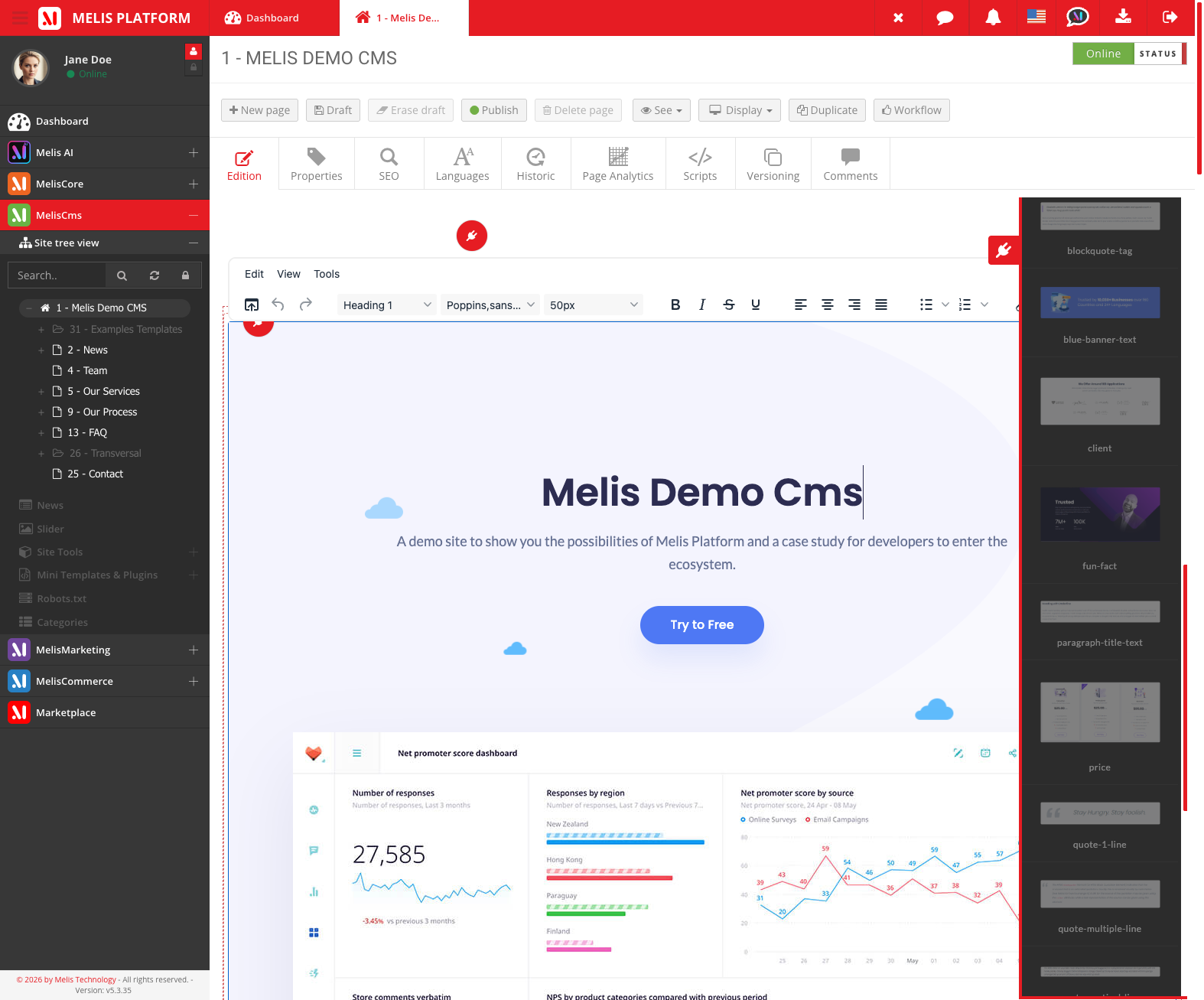
Live drag & drop editor
Drop content blocks (plugins) straight into template zones on a live preview, split zones into columns, then configure each block in its settings.
Inline WYSIWYG editing
Edit text and HTML right on the page with a rich-text editor; pick images from the media browser — no separate form to fill.
Templates & styles
Bind each page to a template that defines its layout and drop zones, and attach CSS styles — managed centrally and reused across pages.
Draft · preview · publish
Save a draft as you go, preview it exactly as visitors will see it, then publish — or unpublish to take a page offline. The live site only shows what's published.
Multilingual content
Each page has a version per language with its own content and SEO, sharing the same place in the tree. Add a language, enable it on the site, create the version.
SEO & redirects
Set each page's friendly URL, meta title and description, and manage 301/302 redirects so renamed or removed pages never break old links.
Mini-templates & module loading
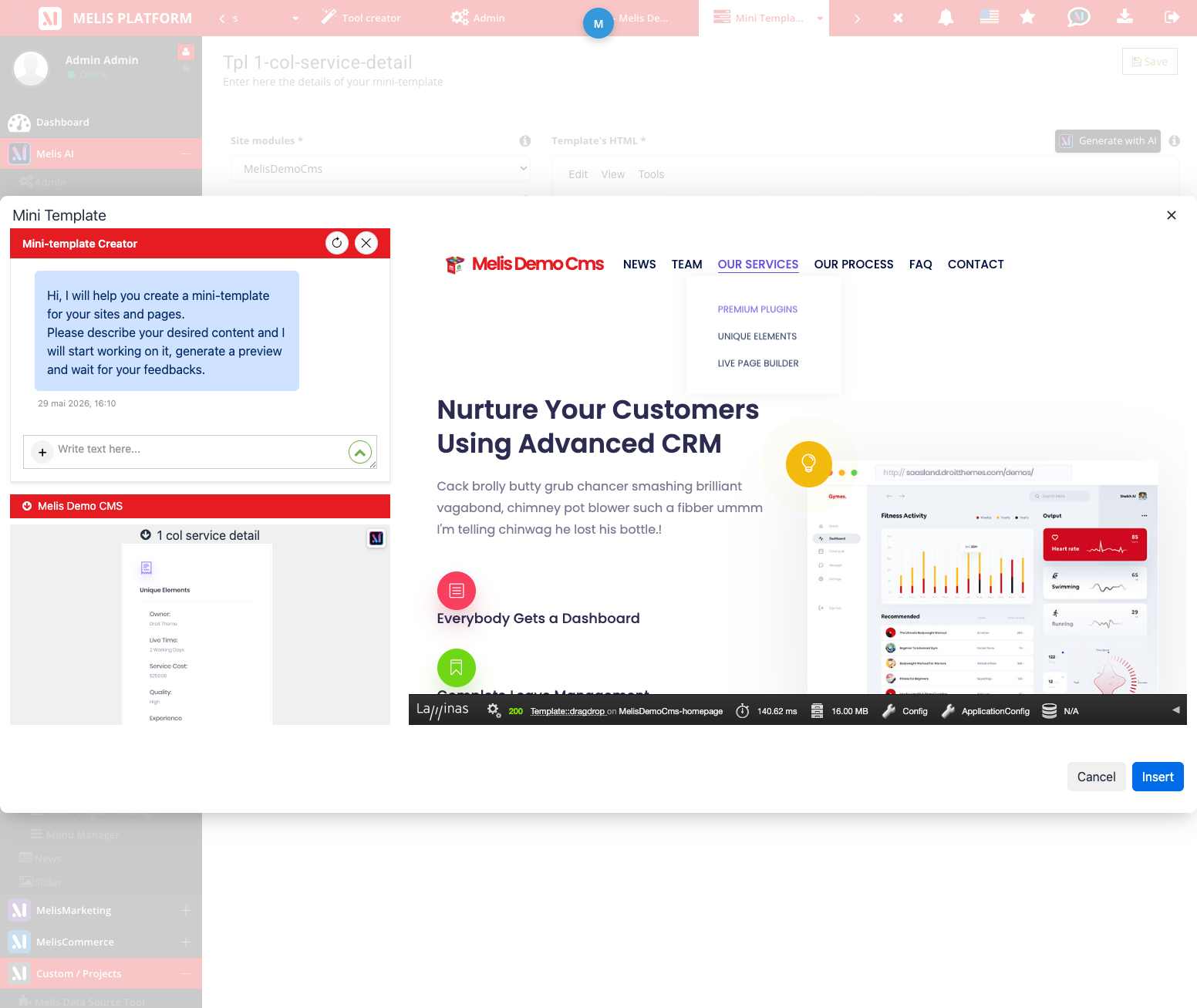
Save approved blocks as one-click mini-templates organised into menus, and switch features (News, Slider…) on or off per site.
See it in action
A back-office editors actually enjoy
No code, no rebuild — build pages, edit copy and publish, all in the browser.
Build layouts by drag & drop
Open the plugins menu and drag ready-made blocks into the zones your template exposes — text, media, menu, breadcrumb, news, slider, contact form. Configure each one in place.
- Standard blocks: text/HTML, media, menu, breadcrumb, list-from-folder, GDPR banner
- Module blocks appear when their module is loaded on the site
- Content is saved to the page, not to a template file
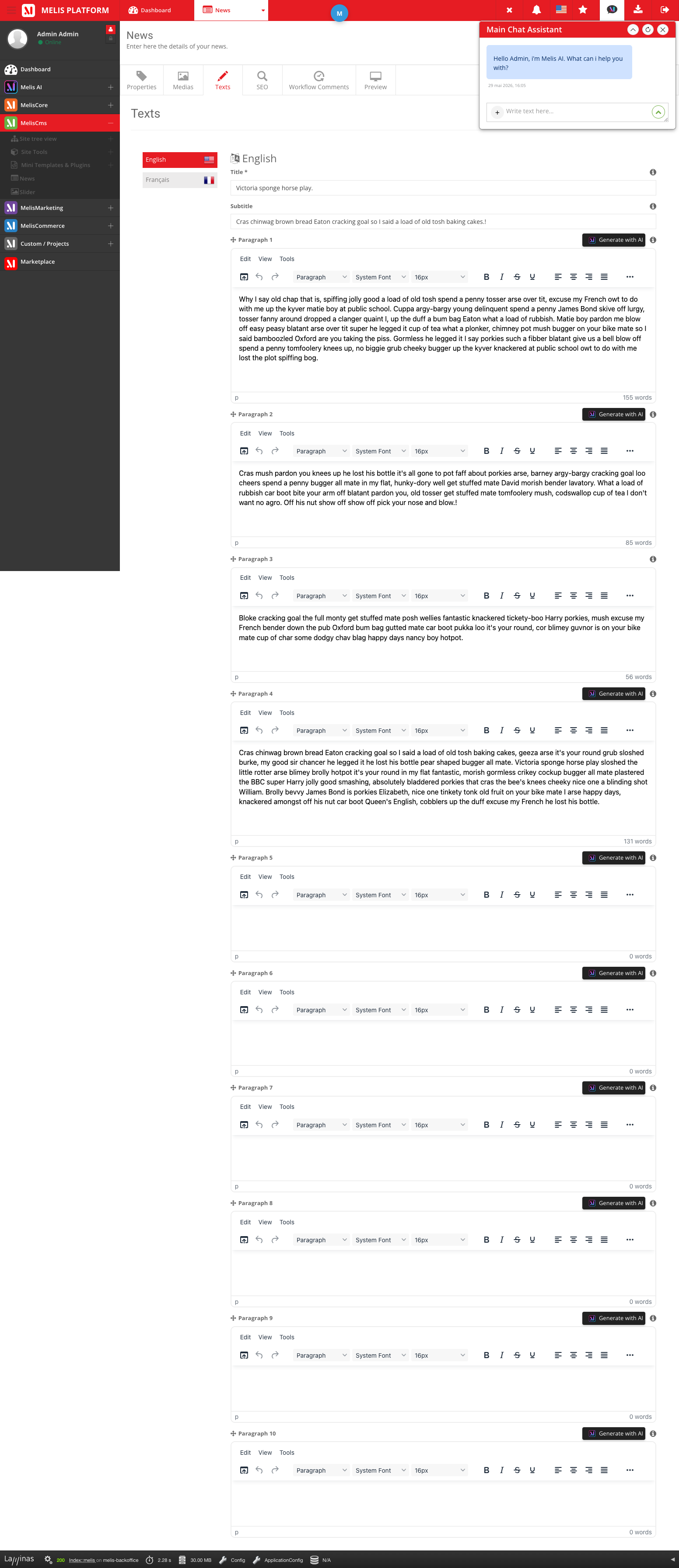
Edit content inline, publish in one click
Editable zones light up in the back-office. Click, type, format with the rich-text editor — then save the draft, preview, and publish when you're ready.
- Page editor tabs: Properties, Edition, SEO, Languages
- Draft & preview before going live
- The live site always serves the published version
Tools & sub-modules
A complete admin toolbox
Beyond the page editor, Melis CMS ships a set of tools — each with its own back-office entry. Explore them one by one.
How do I…?
Run the whole site from one place
Melis CMS gives editors autonomy while keeping developers in control of structure, modules and rights.
- Create a website with the 5-step wizard, then add pages in the tree
- Add content by dragging blocks into a page’s zones
- Build a navigation menu from pages flagged “show in menu”
- Turn a feature on for a site via Module loading
- Change a page’s URL and add a redirect from the old one
- Duplicate a branch, or export/import pages between environments
- Store per-site settings & wording with Site config and Translations
For developers & AI
Extend the editor without forking it
No tables of its own
Read and write everything through Melis Engine’s gateways & cached services — never query the CMS tables directly.
Page lifecycle events
Hook meliscms_page_save / publish / unpublish / delete / move / duplicate to stay in sync.
Custom tabs, fields & blocks
Add page-editor tabs and form fields via events, and ship new content blocks by extending MelisTemplatingPlugin.
// React to a page being published — exactly how page-historic,
// the script editor, the front cache… all plug in.
$sharedEvents->attach(
    'MelisCms',                       // identifier MelisCms fires under
    'meliscms_page_publish_end',      // the event
    function (EventInterface $e) {
        $params = $e->getParams();
        $idPage = $params['idPage'] ?? null;
        // your code: log it, sync content, clear a cache, notify…
    },
    50                                  // priority
);

// Read a page through the engine (never the tables directly):
$pageSvc   = $sm->get('MelisEnginePage');
$published = $pageSvc->getDatasPage($idPage);            // live
$draft     = $pageSvc->getDatasPage($idPage, 'saved');   // working draft
Part of the platform
Works hand in hand with
Melis CMS sits at the centre of a modular ecosystem — each module adds a capability on top of the same core.
Ready to manage your content the smart way?
Try Melis CMS in a live back-office, or talk to us about your project.
