Reusable content blocks, dropped in one click
Mini-templates are pre-built, approved building blocks your editors reuse across pages — organised into menus so the right block is always within reach. Build once, keep every page on-brand.
Part of
Type
Back-office
Reuse
Organised by
For
Overview
Build once, reuse everywhere
A mini-template is a pre-built piece of content — a styled call-to-action, a standard contact block, a formatted info box — that an editor drops onto a page in a single click instead of recreating it from scratch. The goal is to let non-technical editors reuse approved building blocks and keep the whole site consistent.
The Mini Templates & Plugins tool is where those blocks are created and maintained, and where they're organised into menu categories so they're easy to find from the page editor's mini-template manager. It pairs directly with the drag & drop editor of Melis CMS.
Key features
A library of ready-made content
Approved blocks, one click away, consistent across every editor and every page.
Pre-built blocks
Styled CTAs, contact blocks, info boxes, banners — whole sections built once and ready to drop onto any page.
One-click reuse
Insert a block from the mini-template manager right inside the page editor — no rebuilding, no copy-paste between pages.
Menu categories
Group blocks into menus with the menu manager so editors find the right one fast, even with a large library.
Consistency & governance
Approved, on-brand blocks mean every editor produces the same quality — no drifting layouts or off-brand sections.
Reached from the editor
Open the mini-template manager from any content block in a page — pick, preview, insert, then fill in the details.
Plugins library
Alongside mini-templates, manage the templating plugins available to your sites — the building blocks behind the blocks.
See it in action
From the library to the page
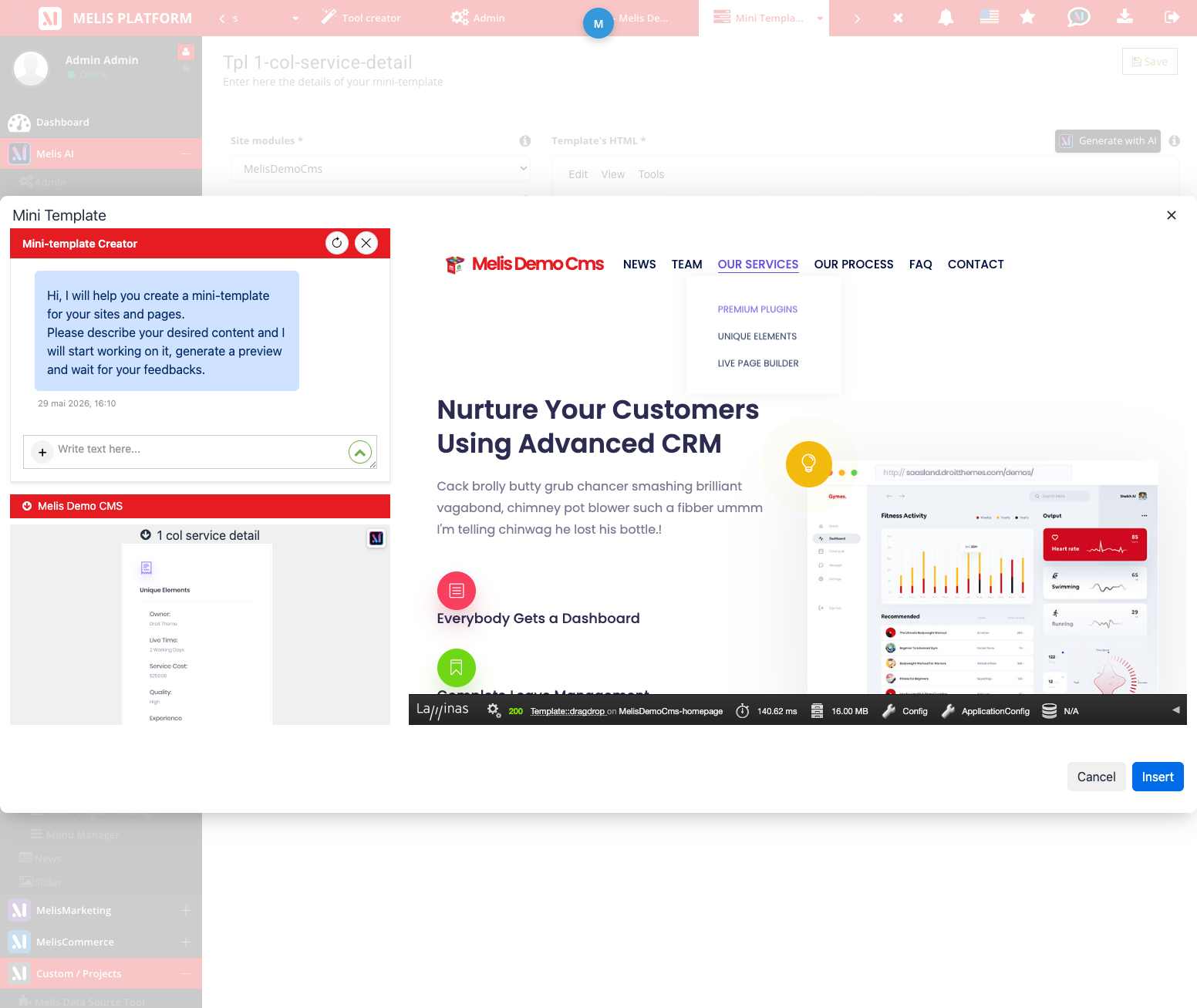
Editors pick a ready-made block and drop it straight onto the live preview.
Pick a block, drop it, done
Open the mini-template manager from the page editor, browse the menus, preview a block and insert it. It lands on the page ready to edit — exactly as designed.
- Browse blocks grouped into menus
- Preview before inserting
- Edit the inserted block like any other content
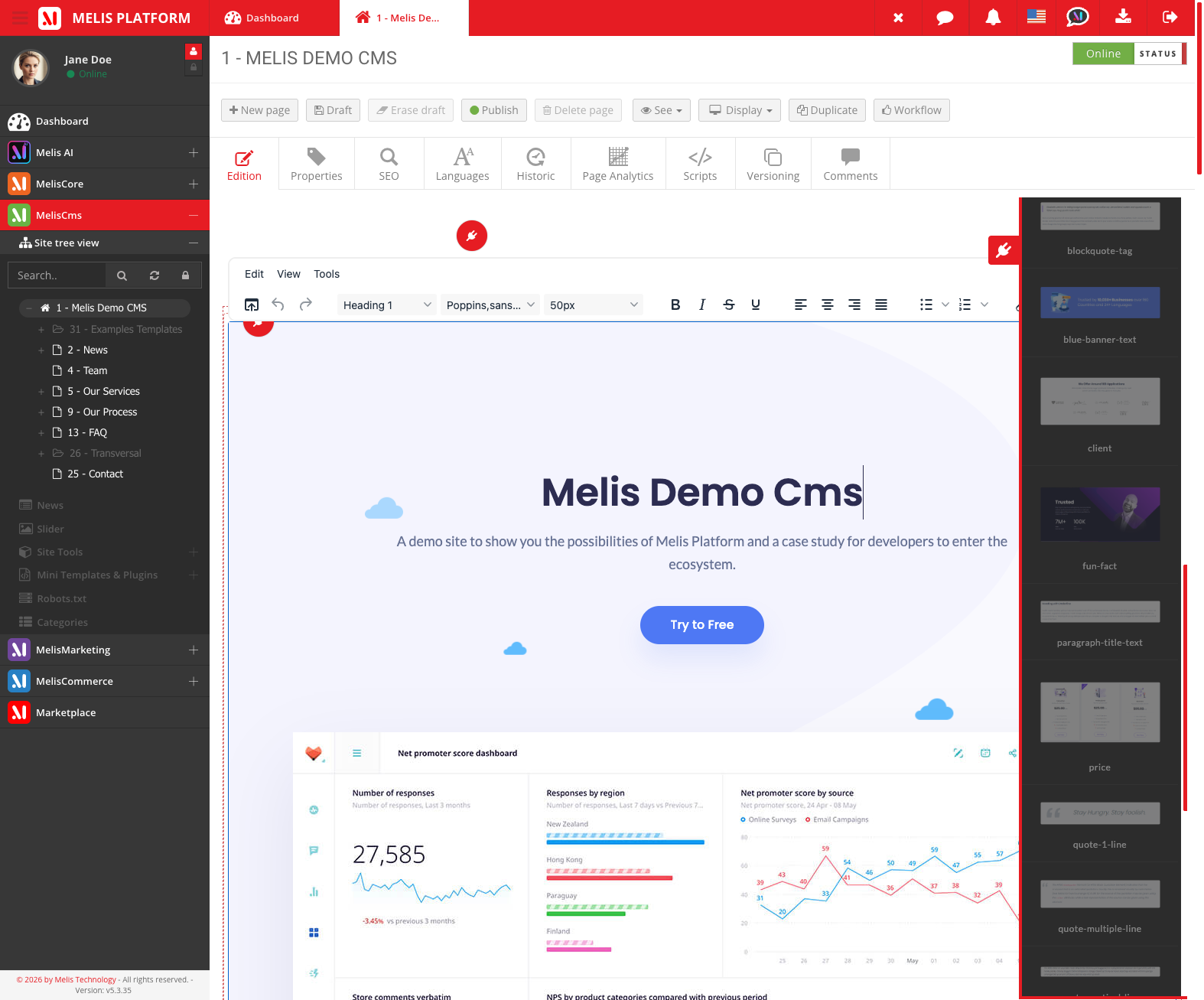
A tidy library, right where you edit
The mini-templates panel sits beside the page so the whole approved library — grouped into menus — is one click away while you build.
- Group blocks into menu categories
- Keep a large library findable
- One source of truth for every editor
For developers
How it's wired
Managed by Melis CMS
Two controllers run the UI — MiniTemplateManagerController for the blocks and MiniTemplateMenuManagerController for their menus.
Service layer
Read & render blocks with MelisCmsMiniTemplateService and MelisCmsMiniTemplateGetterService.
Ships on the volume
TinyMCE mini-template assets live under public/miniTemplatesTinyMce/ (the persistent volume) — never committed to git.
// Get a mini-template's rendered content from any module:
$mini = $sm->get('MelisCmsMiniTemplateGetterService');
$html = $mini->getMiniTemplateById($miniTemplateId);

// Manage the library (CRUD + menu grouping) through:
$svc  = $sm->get('MelisCmsMiniTemplateService');
$all  = $svc->getMiniTemplateList();        // the whole library

// In the page editor, blocks reach the manager from a content
// plugin (extends MelisEngine\…\MelisTemplatingPlugin), so a
// dropped mini-template is editable like any other block.
Part of Melis CMS
Explore the rest of the toolbox
Mini-templates are one of the CMS back-office tools — here are the others.
Build your block library once
See how mini-templates speed up your editors in a live back-office.
