Who changed what, and when
An automatic audit log of every page action — create, edit, publish, delete — shown in a Historic tab in the page editor and a Recent Activity dashboard widget.
Part of
Type
In editor
Dashboard
Logging
Depends on
Overview
Accountability, automatically
Once installed, the module logs every page action — save, publish, unpublish, delete — with who did it and when. There’s nothing to switch on per action.
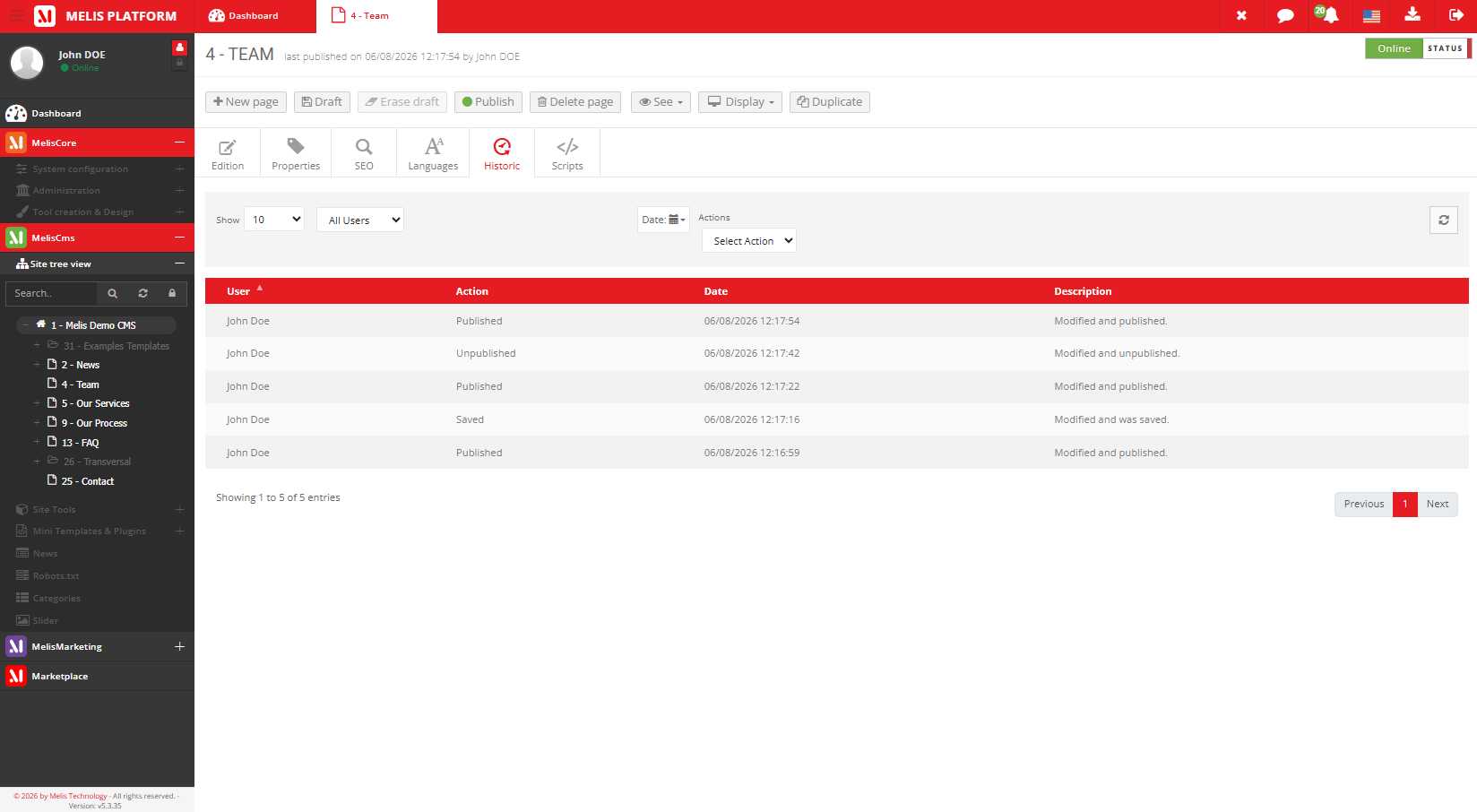
The Historic tab in the page editor shows a read-only, filterable trail of the current page; the Recent User Activity dashboard widget shows activity across all pages. It’s a read-only log for accountability — not a restore tool.
Key features
A clear trail of every change
Automatic, read-only logging of who did what to a page, and when.
Automatic logging
Every page action is recorded — nothing to configure.
Historic tab
A read-only audit trail inside the page editor.
Who / Action / Date
Each entry shows the user, the action, the date and a description.
Filters
Filter the trail by user, date and action type.
Recent Activity widget
A dashboard widget of recent actions across all pages.
Read-only trail
Built for accountability, not for undo.
See it in action
Recent activity, at a glance
Every save and publish logged, surfaced right on the dashboard.
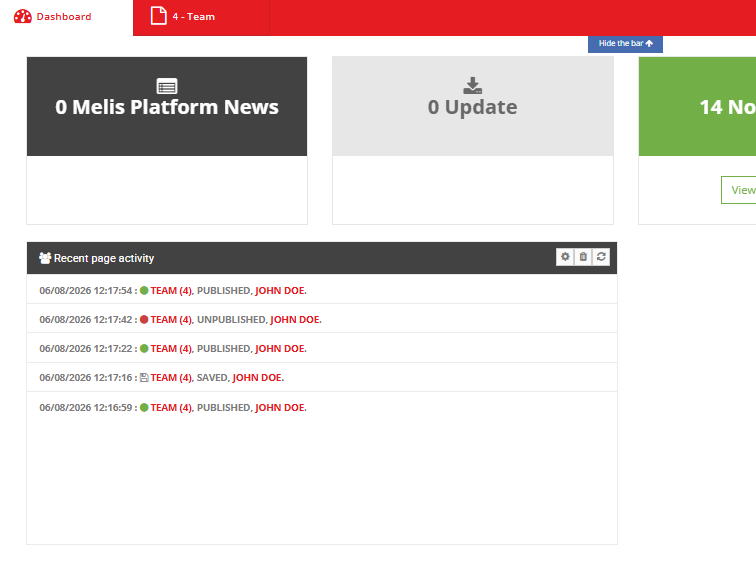
Recent activity, everywhere
The Recent User Activity widget lists the latest page actions across all users on the dashboard.
- Every save & publish logged
- Filter by user, date, action
- A clear accountability trail
For developers
How it's wired
Hooks page events
It listens to the meliscms_page_* lifecycle events to record each action.
Read-only by design
An audit log for accountability — it does not restore.
Dashboard plugin + DbDeploy
Ships the Recent Activity widget; its table installs via DbDeploy.
// It records page actions by listening to the CMS lifecycle:
$sharedEvents->attach('MelisCms', 'meliscms_page_publish_end',
    function ($e) { /* log who / what / when */ }
);
Part of Melis CMS
Explore the rest of the toolbox
Page Historic is one of the CMS back-office tools — here are the others.
Keep a clear edit history
See the page history in a live back-office.
