Turn visitors into leads
Drop a no-code contact form onto any page, capture messages as leads, manage and export them in the back-office, classify them by theme — with GDPR built in.
Part of
Type
Form block
Manage
GDPR
Depends on
Overview
Collect & manage leads
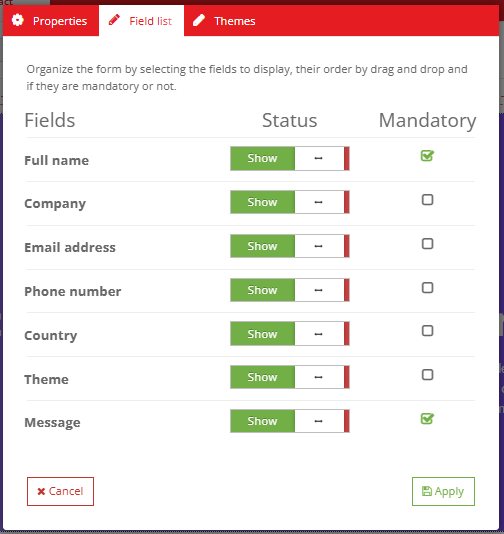
Drop the Show Form block onto a page — its Fields tab is a no-code field-builder where you decide which fields show, which are mandatory, and in what order (drag-sortable). A theme drives the form's subject dropdown.
When a visitor submits, a prospect is created in the Prospects tool, where you search, filter, edit, export to CSV and delete leads. Stat widgets and a dashboard chart track registrations, and it plugs into the platform's GDPR tooling.
Key features
Everything to capture & track leads
A no-code form, a place to manage what it captures, and the insights to follow it over time.
No-code contact form
The Show Form block becomes your contact form on any page.
Field builder
Choose which fields show, which are required, and their order — no code.
Themes
Subject categories that feed the form's dropdown and classify leads.
Lead management
Search, filter, edit and delete captured leads.
CSV export
Export your leads to CSV in a click.
Stats & GDPR
Total / this month / average widgets, a dashboard chart, and GDPR tooling.
See it in action
Watch your leads grow
Statistics and a dashboard chart turn captured leads into a trend you can follow.
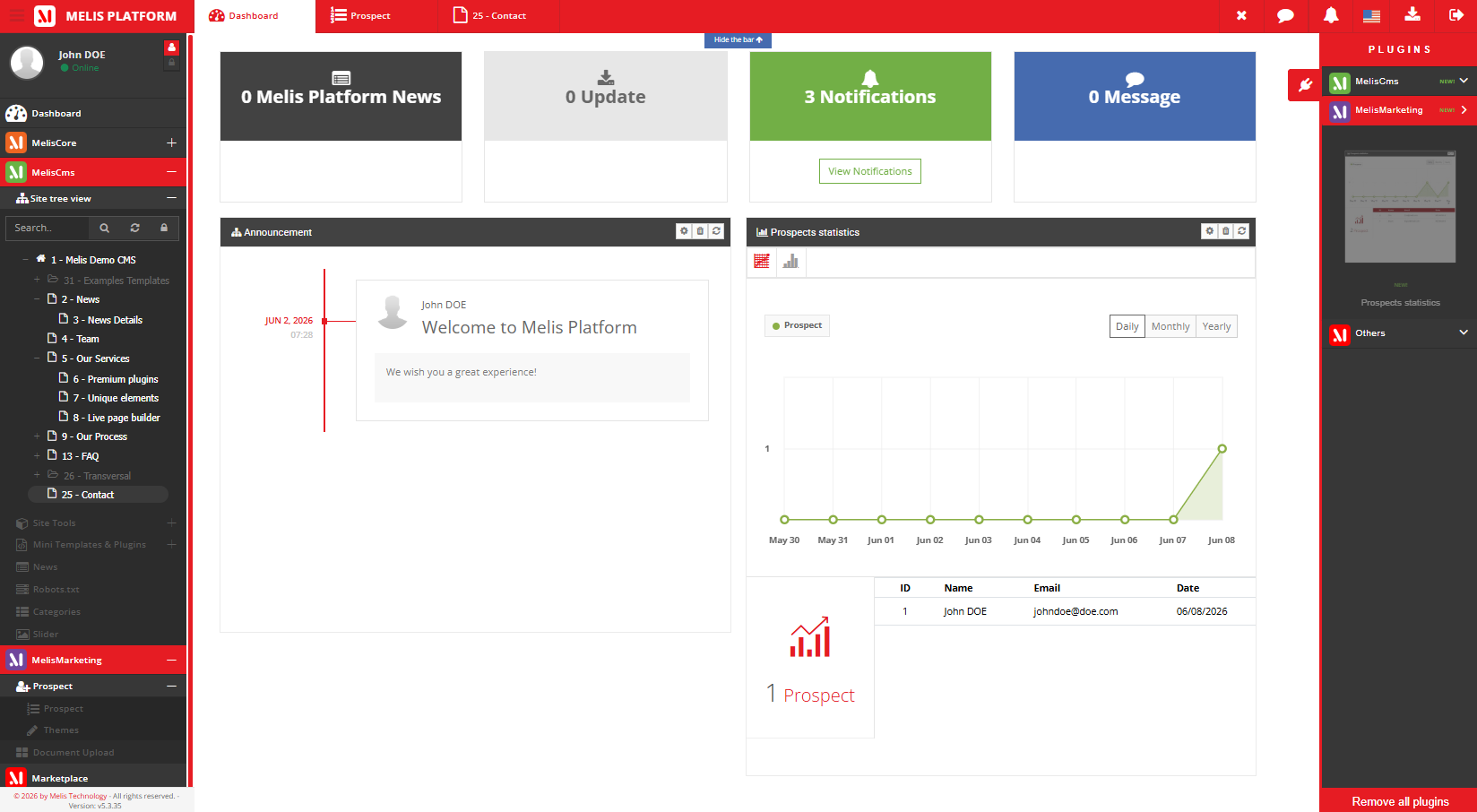
See your lead trends
Stat widgets (total, this month, monthly average) and a dashboard chart show how your leads grow over time.
- Total / this month / average
- Filter & export leads (CSV)
- Classify by theme
For developers
How it's wired
A content block
Show Form extends MelisEngine's MelisTemplatingPlugin; the field list is configured in its settings.
GDPR-wired
Leads plug into the platform's GDPR info/extract/delete tooling.
Dashboard plugin + DbDeploy
Ships a prospects-statistics dashboard widget; tables install via DbDeploy.
// Show Form is a templating plugin; its Fields tab decides
// which fields show, which are required, and their order:
class ShowFormPlugin extends MelisTemplatingPlugin {
    public function front() { /* render the contact form */ }
}
Part of Melis CMS
Works with the rest of the platform
Prospects sits alongside these modules to capture, classify and route your leads.
Capture leads from your site
See the prospects tool in a live back-office.
