From a URL to a finished page
Melis Front displays your websites to visitors — turning an address into a page, running the content blocks, and powering the live, editable preview inside the back-office.
Package
Role
Renders
Owns tables
Blocks
License
Overview
The rendering system
Melis Front shows your pages to visitors at the right address and in the right language. It provides friendly, SEO-ready URLs, the content blocks you drag onto pages, automatic menus and breadcrumbs from the page tree, the GDPR banner, a /sitemap.xml and an internal search — and it serves fast, cached, minified pages.
When you edit a page in the back-office, the page you see and click is rendered by Melis Front in an ‘editing’ mode — which is why editing feels like working on the real page.
Key features
Everything between the URL and the page
From resolving an address to serving fast, cached HTML — with navigation, SEO and a live preview built in.
URL → finished page
Resolves the address, loads the page from Engine, runs its blocks and returns the HTML.
Content blocks (plugins)
Text/HTML, media, menu, breadcrumb, folder-listing and the GDPR banner — the building blocks of every page.
Automatic navigation
Menus and breadcrumbs are built from the page tree — no hand-coding.
Friendly URLs & SEO
Clean, SEO-ready addresses, canonical handling and redirects.
Sitemap & search
A /sitemap.xml and an internal search index for every site.
Fast by default
Caches rendered pages and serves minified CSS/JS bundles.
See it in action
Drop a block onto the page
Editors place a content block and configure it — Melis Front renders the result.
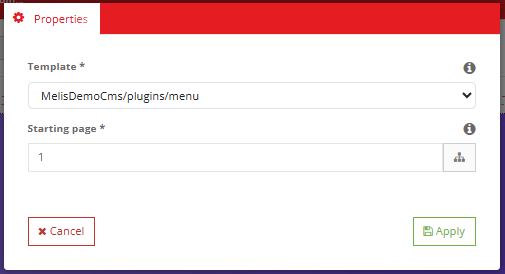
Drop a block, configure it
‘Config’ blocks like the Menu generate content from your site — pick where in the tree to start, how deep to go, and the template to render with.
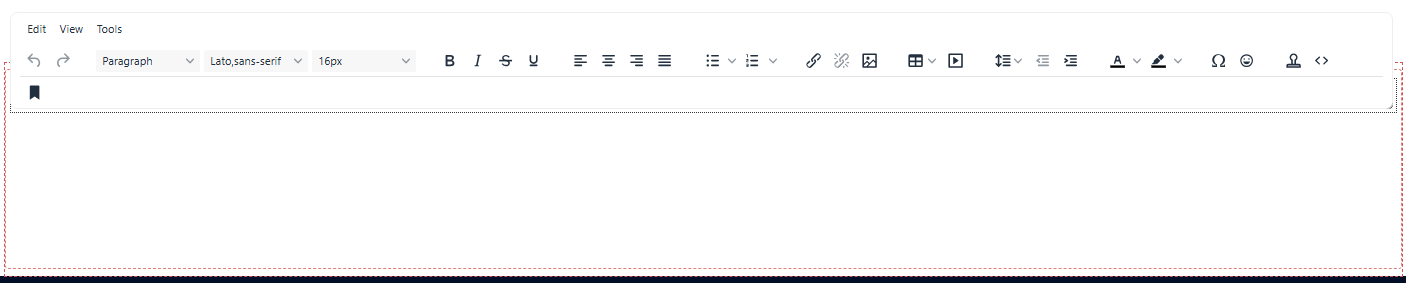
- Tag blocks: edit in place
- Config blocks: set via a modal
- Navigation built from the tree
For developers
How it's wired
Owns no tables
All data comes from Melis Engine — Front is pure rendering.
View helpers
MelisTag and MelisDragDropZone surface page content and drop zones inside templates.
Powers the BO preview
The page editor renders through Melis Front in ‘melis’ mode, so editing happens on the real page.
// Recall an editable block's content (or show a default):
echo $this->MelisTag($idPage, 'my_tag', 'text', '<h2>Default</h2>');

// Declare a drop zone where editors place plugins:
echo $this->MelisDragDropZone($idPage, 'zone_1');
Part of Melis Platform
Explore the rest of the platform
Melis Front is the rendering layer — here's what it works with.
Render your sites, fast
See how Melis Front turns content into pages.
