The languages your platform speaks
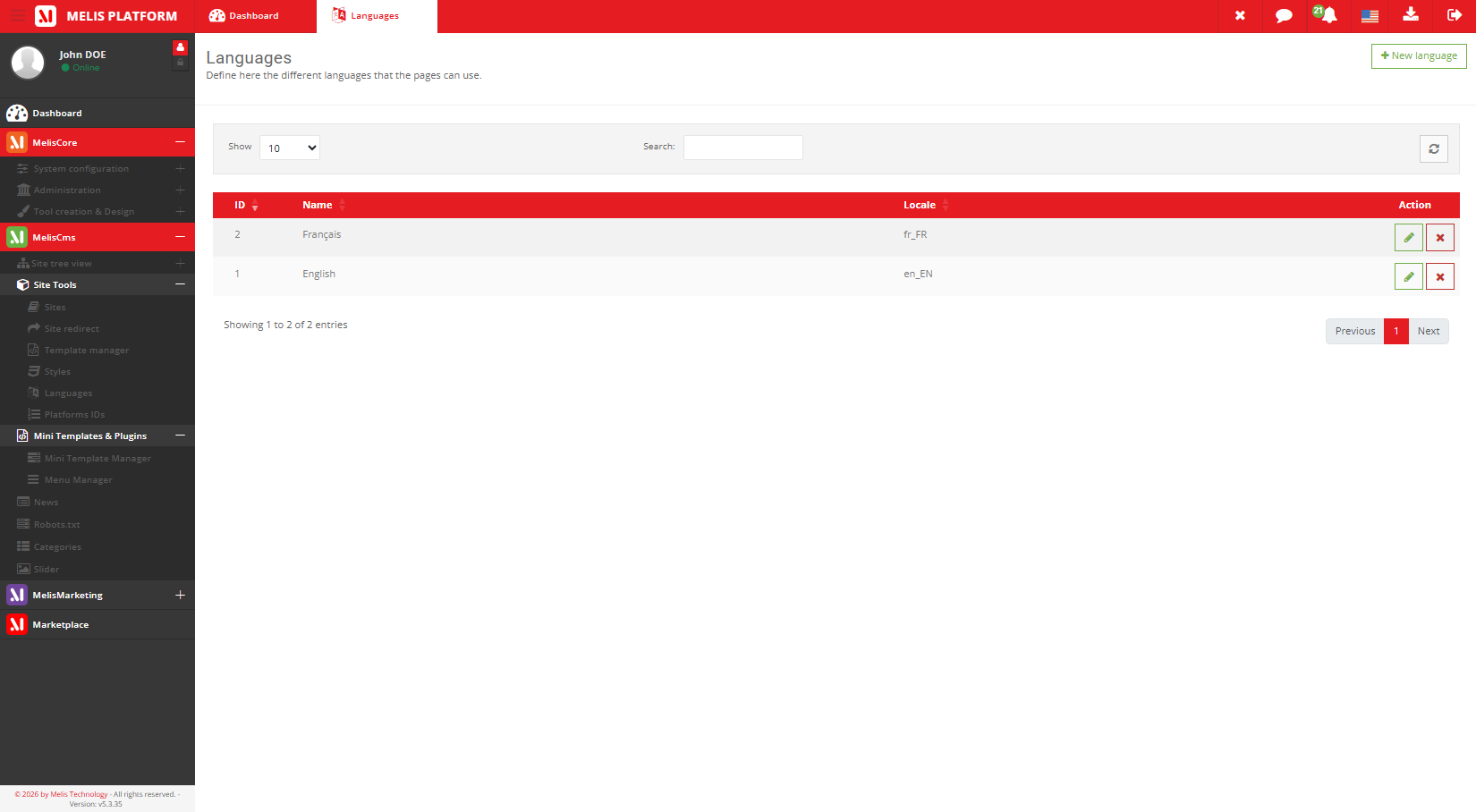
The master list of languages the platform supports — the first step of going multilingual, before you enable a language on a site or create a page version in it.
Part of
Type
Back-office
Scope
Step
Controls
Overview
Go multilingual in three steps
This tool holds every language the platform knows — English, French, and any other you add. It’s the starting point for a multilingual site.
The chain is always the same: create the language here, enable it on a site, then create the page version in that language.
Key features
One list, every language
The platform-wide source of truth that powers site languages and page versions.
Master language list
Every language the platform supports, in one place.
Locale, name & status
Each language has its locale, display name and active status.
The 3-step chain
Create here → enable on the site → create the page version.
Powers site languages
Only languages added here can be offered by a site.
Powers page versions
Each page gets its own version per enabled language.
Shared across sites
One language list serves every site on the platform.
See it in action
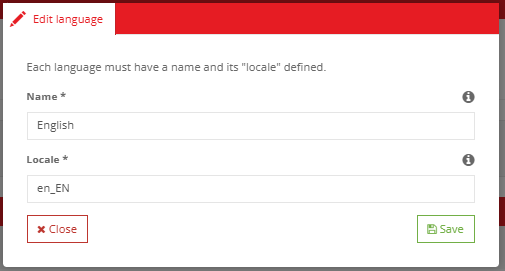
Set the locale, name and status
Edit a language and define how the platform recognises it.
Locale, name, status
Editing a language sets its locale, its display name and whether it’s active across the platform.
- Add or enable a language
- Enable it on a site
- Create a page version in it
For developers
How it's wired
Controller
LanguageController runs the languages tool.
Form factories
MelisCmsLanguageSelect and MelisCmsPageLanguagesSelect feed BO selects.
Engine + switch
MelisEngineLang exposes languages; MelisPageLangLink links a page to its other-language equivalent.
// Link a page to its equivalent in another language (view helper):
$this->MelisPageLangLink($pageId, 'fr_FR', true);

// Languages are exposed (cached) by the engine:
$langSvc = $sm->get('MelisEngineLang');
Part of Melis CMS
Explore the rest of the toolbox
Languages are one of the CMS back-office tools — here are the others.
Speak your visitors’ language
See the languages tool in a live back-office.
