Keep old links working
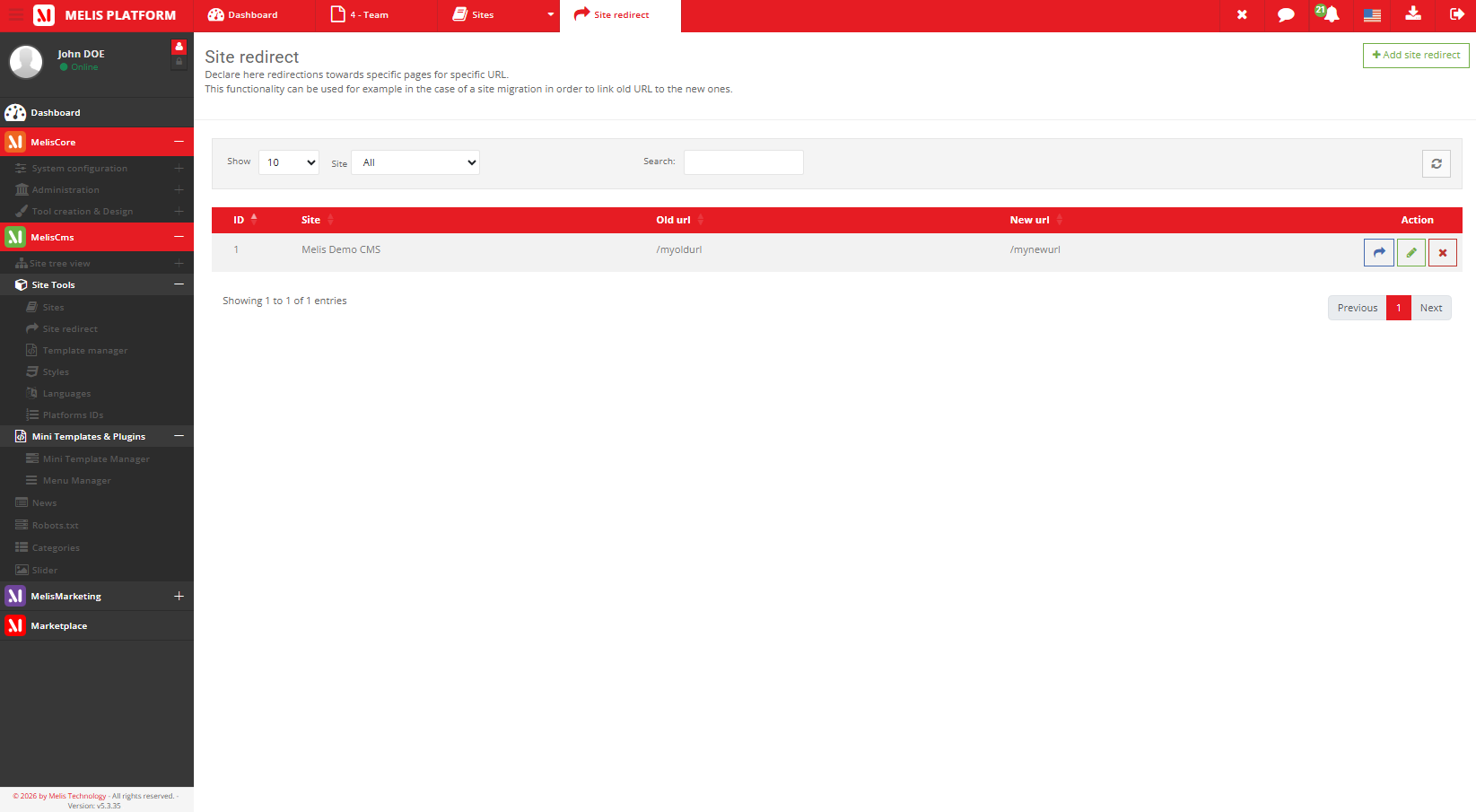
When you rename or remove a page, its old address breaks — and every external link or bookmark to it with it. A redirect sends visitors (and search engines) from the old URL to the new one.
Part of
Type
Back-office
Types
Scope
Pairs with
Overview
No more broken links
A redirect tells the site ‘when someone asks for the old URL, send them to the new one’ — a 301 permanent or a 302 temporary.
Use it any time a public URL changes: edit the URL on the page’s SEO tab, then add a redirect here from the old address. It pairs directly with the page SEO settings of Melis CMS.
Key features
Redirect rules that protect your URLs
Permanent or temporary, per site, mapping every old address to its replacement.
301 permanent
Tell search engines a page has permanently moved — passing its SEO value on.
302 temporary
Send visitors elsewhere temporarily without losing the original URL.
Per-site rules
Manage redirects independently for each site.
Old URL → new URL
A simple mapping from a former address to its replacement.
Protects SEO
Keeps ranking and inbound links intact when pages move.
Pairs with page SEO
Change a page’s URL on its SEO tab, redirect the old one here.
See it in action
From the library to the page
Editors pick a ready-made block and drop it straight onto the live preview.
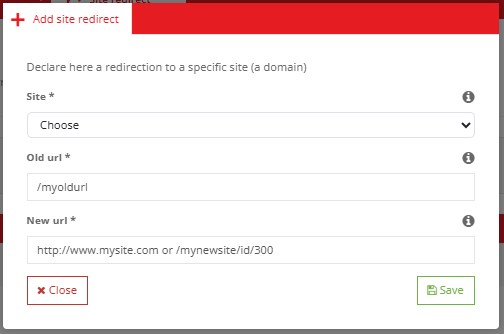
Map old to new in seconds
Add a rule: the old URL, the new target, and the redirect type — visitors never hit a dead link.
- Change a page URL, redirect the old one
- Choose 301 or 302
- Manage all rules per site
For developers
How it's wired
Controller
SiteRedirectController manages the rules per site.
Served by the front
The front dispatch listener issues the 301/302 on the incoming request.
Canonical URLs
Engine’s getPageLink resolves a page’s canonical URL behind the scenes.
// The front resolves a page's canonical URL and 301s
// non-canonical requests to it (engine tree service):
$tree = $sm->get('MelisEngineTree');
$url  = $tree->getPageLink($idPage, true);   // absolute URL
Part of Melis CMS
Explore the rest of the toolbox
Site redirects are one of the CMS back-office tools — here are the others.
Never break a link again
See the redirects tool in a live back-office.
