The layouts behind every page
A template is the skeleton of a page — header, footer, columns, and the zones where editors are allowed to drop content. Define a layout once and reuse it across hundreds of pages.
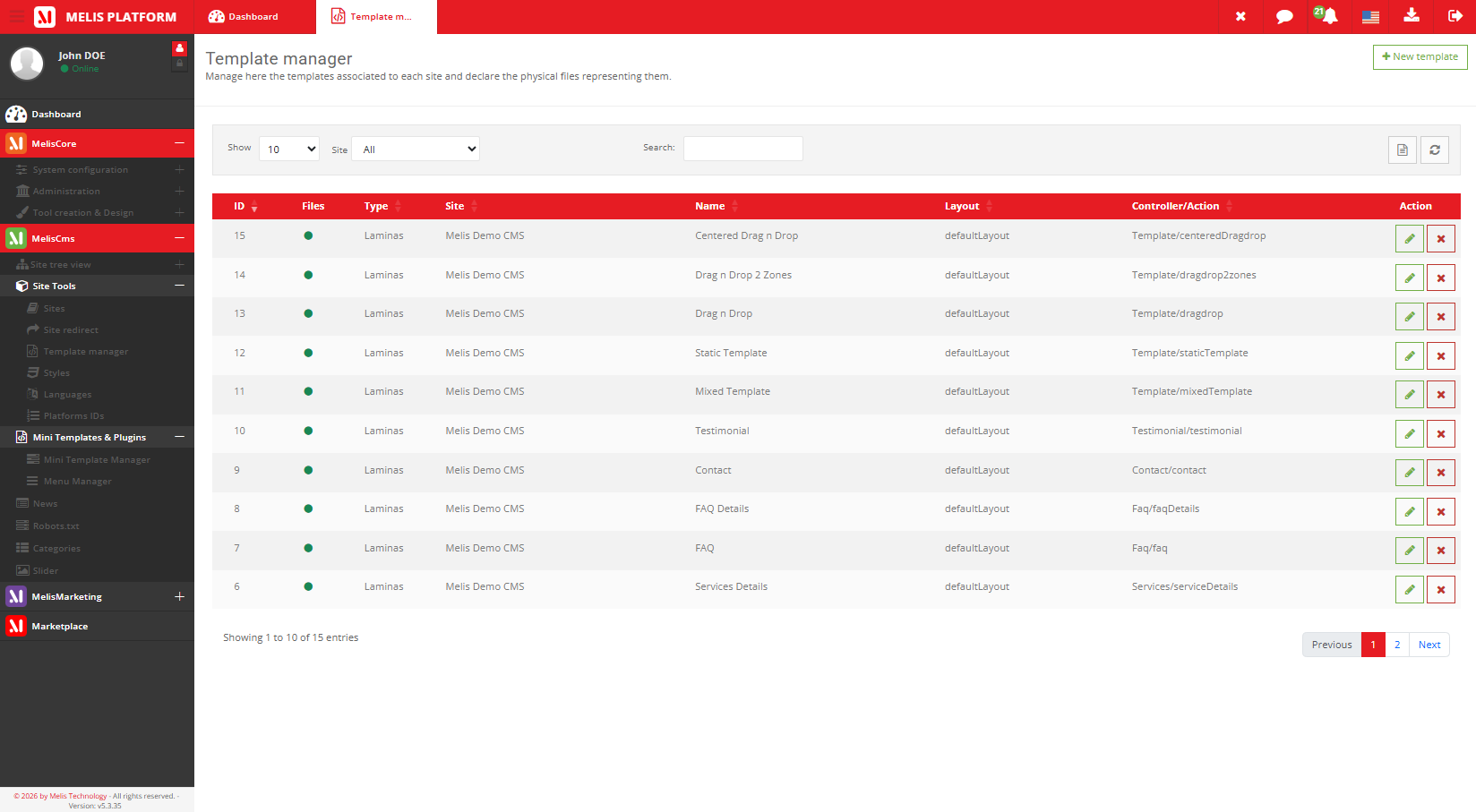
Part of
Type
Back-office
Defines
Set up by
Reused
Overview
Structure, defined once
A template decides a page’s overall structure: the header, the footer, the columns, and the drop zones an editor can fill. You pick a template when creating a page.
Templates tie a friendly name to an actual layout (the .phtml that produces the HTML), so editors choose a layout by name while developers own the markup.
Key features
The skeleton every page is built on
Set up once by developers, picked by name, reused across hundreds of pages.
Page layouts
The header/footer/columns skeleton every page is built on.
Content zones
Each template exposes the drop zones where editors place blocks — the zones drive what’s droppable.
Friendly name → code
Map a readable template name to its controller/.phtml so it’s pickable in the page editor.
Reused across pages
Set up once, applied to hundreds of pages; change the template, change them all.
Per-site templates
Each site exposes its own set of templates via module loading.
Zones, not pages
If a page lacks a zone to drop into, change the template’s zones rather than the page.
See it in action
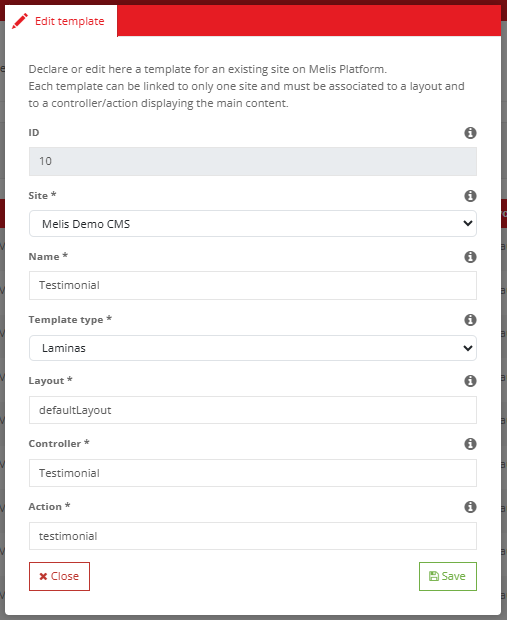
Name it, map it, expose its zones
Editing a template ties a friendly name to a layout and the zones editors can use.
Name it, map it, expose its zones
Editing a template ties a friendly name to a layout and declares the zones editors can use.
- Add a new layout
- Expose new drop zones
- Map the template to its .phtml
For developers
How it's wired
Controller
ToolTemplateController runs the template manager.
Form factory
MelisCmsTemplateSelect populates BO selects from live engine data.
Read a template
MelisEngineTemplateService::getTemplate($tplId) — cached.
// Read a template definition (cached, via the engine):
$tplSvc = $sm->get('MelisEngineTemplateService');
$tpl = $tplSvc->getTemplate($tplId);

// A page binds to a template via its tpl_zf2_* columns
// (website folder / controller / action / layout).
Part of Melis CMS
Explore the rest of the toolbox
Templates are one of the CMS back-office tools — here are the others.
Lay out your pages once
See the template manager in a live back-office.
